Master Slider Plugin | Touch-Enabled WordPress Layer Slider

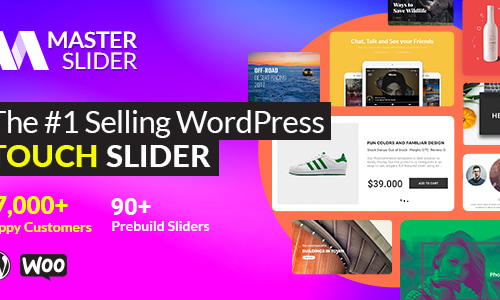
Master Slider makes creating stunning parallax sliders quick and effortless. With ready-made parallax templates and an intuitive visual editor, you can design eye-catching sliders in less than ten minutes. The parallax effect works seamlessly with any WordPress theme and supports all types of content, ensuring smooth performance across devices.
Master Slider is fully optimized for touch navigation. Users can swipe slides smoothly on mobile devices and drag them effortlessly on desktops. With responsive touch controls and fluid animations, it delivers a modern browsing experience that works perfectly on smartphones, tablets, and desktops alike.
Video galleries are essential for showcasing products and services, and Master Slider makes them easy to build. Create beautiful YouTube and Vimeo video sliders using ready-made templates. You can launch a professional-looking video gallery in just minutes—no technical skills required.
Master Slider is one of the easiest ways to create YouTube sliders in WordPress. Simply select a YouTube slider template and paste your video link. It’s a powerful way to increase engagement, traffic, and social shares on your website.
Master Slider offers a powerful layered slider system with advanced customization options. You can add and animate multiple layers, including text, images, videos, buttons, and hotspots. Each layer is fully customizable, allowing you to control animations, transitions, timing, effects, and styles. You can also embed HTML content, links, and multimedia directly into your slides for maximum creative freedom.
Create image and content sliders effortlessly with Master Slider. Add images, text, videos, or any custom content simply by dragging and dropping elements into your slides. You can style and animate each element individually, apply transitions, and customize layouts exactly the way you want.
Instead of re-uploading images, Master Slider allows you to pull photos directly from your Flickr account. Your latest Flickr images can be displayed automatically in a slider, with optional titles, descriptions, and author details shown as text layers on the slides.
Showcase your WordPress posts in an elegant slideshow using Master Slider’s creative post slider templates. Simply choose a category—or multiple categories—and the plugin will automatically display your posts in a stylish slider without modifying your existing content.
Turn your WooCommerce store into an interactive product showcase with Master Slider. Using dedicated WooCommerce slider templates, you can display product images beautifully, enhance user engagement, and boost conversion rates through visually appealing product galleries.
Master Slider makes creating stunning parallax sliders quick and effortless. With ready-made parallax templates and an intuitive visual editor, you can design eye-catching sliders in less than ten minutes. The parallax effect works seamlessly with any WordPress theme and supports all types of content, ensuring smooth performance across devices.
Master Slider is fully optimized for touch navigation. Users can swipe slides smoothly on mobile devices and drag them effortlessly on desktops. With responsive touch controls and fluid animations, it delivers a modern browsing experience that works perfectly on smartphones, tablets, and desktops alike.
Video galleries are essential for showcasing products and services, and Master Slider makes them easy to build. Create beautiful YouTube and Vimeo video sliders using ready-made templates. You can launch a professional-looking video gallery in just minutes—no technical skills required.
Master Slider is one of the easiest ways to create YouTube sliders in WordPress. Simply select a YouTube slider template and paste your video link. It’s a powerful way to increase engagement, traffic, and social shares on your website.
Master Slider offers a powerful layered slider system with advanced customization options. You can add and animate multiple layers, including text, images, videos, buttons, and hotspots. Each layer is fully customizable, allowing you to control animations, transitions, timing, effects, and styles. You can also embed HTML content, links, and multimedia directly into your slides for maximum creative freedom.
Create image and content sliders effortlessly with Master Slider. Add images, text, videos, or any custom content simply by dragging and dropping elements into your slides. You can style and animate each element individually, apply transitions, and customize layouts exactly the way you want.
Instead of re-uploading images, Master Slider allows you to pull photos directly from your Flickr account. Your latest Flickr images can be displayed automatically in a slider, with optional titles, descriptions, and author details shown as text layers on the slides.
Showcase your WordPress posts in an elegant slideshow using Master Slider’s creative post slider templates. Simply choose a category—or multiple categories—and the plugin will automatically display your posts in a stylish slider without modifying your existing content.
Turn your WooCommerce store into an interactive product showcase with Master Slider. Using dedicated WooCommerce slider templates, you can display product images beautifully, enhance user engagement, and boost conversion rates through visually appealing product galleries.


With our extensive collection of elements, creating and customizing layouts becomes
second nature. Forget about coding and enjoy our themes.